“Alexa, open my book”
Start a shuffled bedtime listening session straight away.
 amuzz.in
Once a story is downloaded, its narration and artwork stay on the device.
Gentle stories for sleepy minds
Settle in with thoughtful bedtime tales, calm narration, and soothing music created to make winding down feel easy and special.
Amuzzin on Alexa
Enable the Amuzzin Alexa skill and link your account. Then say “Alexa, open my book” to begin a bedtime story while the phone stays out of sight. Everything stays connected to your family’s Amuzzin account.
Start a shuffled bedtime listening session straight away.
Pause, resume, restart, or skip between stories by voice while Alexa plays the same published story library.
Your child can share what they are grateful for. Alexa saves the answer to the selected child’s profile so it becomes part of the family’s synced Amuzzin record.
Try any of these voice commands:
During a story, you can also say “Alexa, pause,” “Alexa, resume,” “Alexa, restart,” “Alexa, next,” or “Alexa, previous.”
The story shelf
Every tale is shaped for bedtime: gentle pacing, rich imagination, reassuring endings, and enough wonder to invite one last smile before sleep.
Discover new tales without updating the app. Browse all stories, favorites, downloads, and virtue shelves.
Press play and let the story lead. Calm narration makes it easy to listen together with the screen set aside.
Soft background music supports the story without overpowering the voice or turning bedtime into a performance.
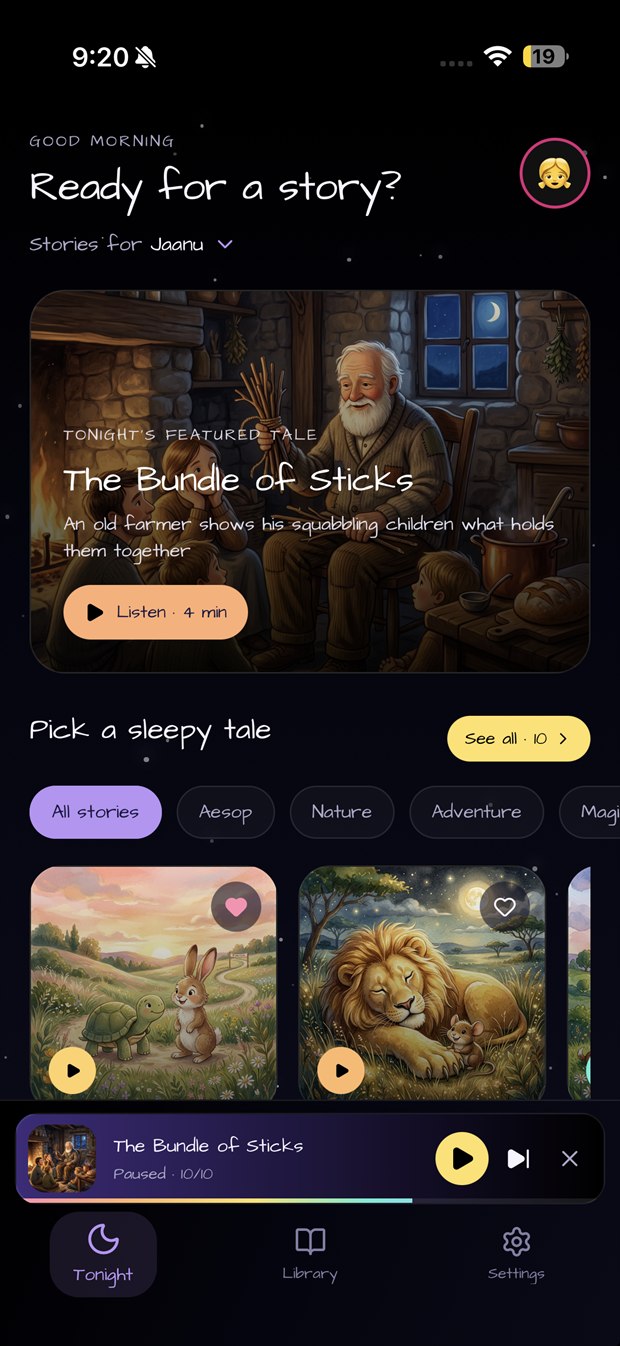
Search the shelf, browse by virtues, or begin with the featured story chosen for the evening.
Save the stories your child asks for again, with favorites remembered separately for each profile.
During a recorded story, tap Ask questions to pause the tale and open Little Rishi for a short voice question break.
Offline first
Once a story is downloaded, its narration, artwork, and text remain available on your device for dependable listening at home, while travelling, or anywhere the connection disappears.
You stay in control of family data. Amuzzin keeps a local copy on your device, clearly shows sync status, and lets you turn family-data syncing off whenever you choose. A connection is only needed for first-time account setup, syncing, and downloading new stories.
Their own little shelf
Create a simple profile with a name and favorite emoji, switch between children in place, and keep each child’s favorites separate. No child email address or child login is needed.
Move from one child’s story shelf to another without digging through settings.
The app greets your family for the local time of day and brings tonight’s featured tale forward.
Account settings, profile management, syncing, and deletion stay under the adult account.
Choose a cheerful emoji and color—there is no need to grant photo-library access just to create a profile.
Tutors and schools
Every night, the choices a child makes in their stories can tell a parent something real — that this one solves the puzzle, that one talks to everybody, that one never stops moving. Knowing it is only half the answer. We are building the other half: the tutors and schools who take it from there.
Join the early tutor list for free, teach online or near you, and help shape the marketplace before it opens.
Talk to us about a one-class pilot: homework retold as a bedtime story, with the pilot agreed in writing before any student work is sent.
Family privacy
Children do not create accounts. The adult account holder chooses what to save, can turn family-data syncing off, can delete an individual child profile, and can permanently delete the entire account from Settings.
Tonight’s story is waiting